Free Garden Rewards Are Rare—So Check These Codes Before They Expire
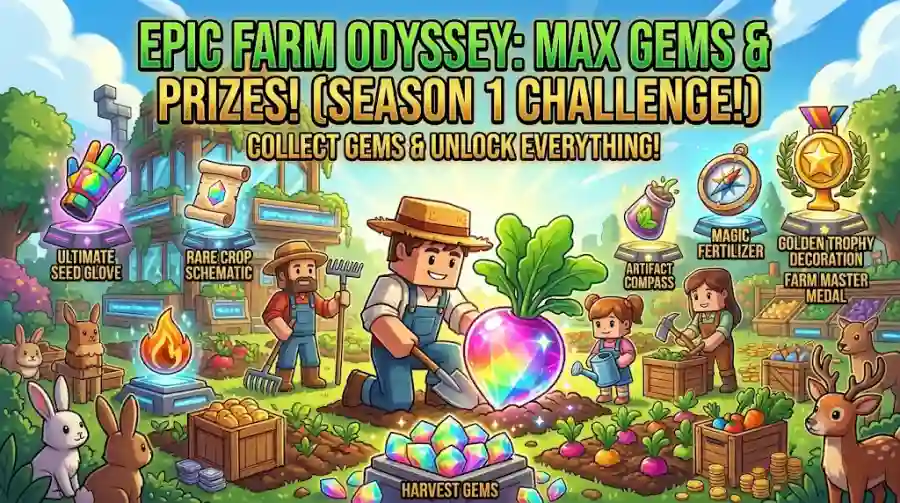
Grow a Garden turns a simple idea into an addictive gameplay loop: plant seeds, grow crops, collect rewards, and build a garden that becomes more valuable over time.
But there's another reason players keep checking the game—redeemable codes.
Developers sometimes release codes to celebrate community milestones, special events, and updates. Depending on the code, players may receive garden decorations or other in-game rewards without spending Robux.
There is one catch: Grow a Garden codes are relatively uncommon, and code lists often disagree about what still works. Some websites also mix codes for the original Grow a Garden with codes for the separate Grow a Garden 2 experience.
This guide focuses on the original Roblox game and the codes reported for October 2026. We'll explain what each code may unlock, how to redeem it, and what to do if it fails.
Last checked: October 14, 2026. Codes have not been independently tested in-game for this article, so rewards and availability are identified as reported rather than guaranteed.
Grow a Garden Codes October 2026: Reported Active Codes
Recent gaming guides most consistently report the following two codes for the original Grow a Garden experience.
| Code | Reported reward | Status |
|---|---|---|
RDCAward | RDC Award cosmetic | Reported active by multiple guides |
BEANORLEAVE10 | Green Bean Chamber cosmetic | Reported active by multiple guides |
torigate | Whispering Torii cosmetic | Conflicting reports; test in-game |
The first two codes appear on multiple October code lists, including reports from 360-Reader and Shane the Gamer. However, the sources disagree about torigate: some list it as expired, while another recent tracker continues to list it as active.
Try these codes as soon as possible. A code appearing in a guide doesn't guarantee it will work on your account today.
1. RDCAward
Reported reward: RDC Award cosmetic.
Reward type: Decoration.
Why try it: It is one of the more consistently reported codes across recent guides.
This reward is cosmetic rather than a direct farming boost. It is useful if you enjoy collecting decorations and customizing the appearance of your garden.
2. BEANORLEAVE10
Reported reward: Green Bean Chamber cosmetic.
Reward type: Decoration.
Why try it: Multiple recent guides continue to list the code.
Enter the code exactly as shown, including its capital letters and numbers. If it fails, check whether you've already redeemed it or whether its status has changed.
3. torigate
Reported reward: Whispering Torii cosmetic.
Reward type: Decoration.
Why try it: Some trackers still list it, but others report it as expired.
Because the available reports conflict, this code should be treated as uncertain. Try it after the first two and rely on the game's redemption message to determine whether it is currently accepted.
Important: Grow a Garden and Grow a Garden 2 Are Different Games
One common reason players see confusing code lists is that the original Grow a Garden and Grow a Garden 2 are separate Roblox experiences.
Some websites list codes such as:
FREESEEDWATERYOPLANTSTEAMGREENBEANREMEMBERTODRINKWATER
These have been associated with Grow a Garden 2 in recent code guides, rather than being consistently verified for the original game. Code availability and requirements can also vary between trackers.
Before entering a code, make sure you have opened the correct experience.
A code intended for one game will not necessarily work in the other. If you are playing the original Grow a Garden, use a code list specifically for that version.
How to Redeem Grow a Garden Codes
Follow these steps to redeem a code in the original game.
Step 1: Open Grow a Garden
Launch Roblox and enter the original Grow a Garden experience. Double-check the game name if you have also played the sequel.
Step 2: Open Settings
Once your garden loads, look for the Settings gear icon, commonly located near the top-left corner of the screen.
Step 3: Find the Redemption Box
Scroll through the Settings menu until you reach the code redemption section.
Step 4: Enter the Code
Copy a code from the table and paste it into the redemption box. This reduces the chance of mistakes involving capitalization or extra spaces.
Step 5: Click Claim
Press the Claim button and wait for the game's response.
Step 6: Check the Result
If the code is accepted, check the confirmation message and your available cosmetics or inventory. If it fails, move on to the troubleshooting steps below.
The interface may change after updates, so follow the current in-game menu if its layout differs from these instructions.
Why Are Grow a Garden Codes Not Working?
A code may fail even when you have copied it from a recent article. Here are the most common reasons.
The Code Has Expired
Developers can deactivate event or milestone codes without much notice. A code that worked last month may no longer be accepted.
What to do: Try the codes reported most consistently across recent lists first. Treat codes with conflicting status reports as uncertain.
You Entered the Code Incorrectly
Some codes use mixed capitalization, while others contain only uppercase letters and numbers.
For example:
Correct:
RDCAwardCorrect:
BEANORLEAVE10
Copy the code exactly as written. Avoid adding spaces before or after it.
You Already Redeemed It
Many game codes can only be claimed once per account.
If the game says you've already redeemed a code, that doesn't necessarily mean it has expired for everyone.
You're Playing the Wrong Experience
This is especially important when a code list includes both Grow a Garden and Grow a Garden 2.
What to do: Confirm the game you launched before troubleshooting the code itself.
A Third-Party Guide Is Out of Date
Code trackers sometimes retain old codes or disagree about when a code expires.
What to do: Compare recently updated guides, then use the game's own redemption response as the final check.
What Rewards Can Grow a Garden Codes Provide?
Grow a Garden codes can provide different kinds of in-game rewards, depending on the promotion.
Cosmetic Decorations
Cosmetics let you personalize your garden. The reported rewards for RDCAward and BEANORLEAVE10 fall into this category.
They may not improve crop growth directly, but they can make your garden look more distinctive.
Seeds and Farming Items
Some code lists for Grow a Garden 2 report rewards such as seeds and watering cans. These should not automatically be treated as rewards available in the original game.
Always check that the code belongs to the version you are playing.
Event and Milestone Rewards
Game developers sometimes distribute codes to celebrate updates, player milestones, or special events. These rewards can be temporary, which makes it worth checking for new codes around major announcements.
How to Progress Faster Without Relying on Codes
Codes are a useful bonus, but they are not the only way to improve your garden.
1. Check the Available Seed Selection
Review the seeds available to you and choose crops that fit your current resources and progression goals.
2. Collect Harvests Regularly
Harvesting mature crops allows you to collect their value and reinvest in your garden.
3. Plan Your Purchases
Before spending your currency, consider whether a purchase will meaningfully improve your next stage of progression.
4. Explore Current Events
Seasonal events and updates may offer additional ways to earn rewards. Check the current in-game event information instead of relying on old guides.
5. Redeem Codes Promptly
When a new code is announced, try it as soon as you can. This reduces the chance of missing a limited-time reward.
Where to Find New Grow a Garden Codes
For future codes, prioritize sources that provide recent, specific information.
Official developer announcements: Check the game's official Roblox community and developer-linked announcement channels.
In-game updates: Review new event details and update messages.
Recently updated code guides: Compare the date of the latest update and whether the page separates active codes from expired ones.
The game's redemption interface: This is the practical way to confirm whether a code is accepted by the current game.
Be cautious of websites that promise unlimited currency, free Robux, or rare pets in exchange for account details. Never provide your Roblox password or install unknown software to claim a code.
Frequently Asked Questions
What are the active Grow a Garden codes for October 2026?
Recent guides most consistently report RDCAward and BEANORLEAVE10. The status of torigate is disputed, so try it only as an uncertain additional code.
What does the RDCAward code give?
It is reported to unlock an RDC Award cosmetic for the original Grow a Garden experience.
What does BEANORLEAVE10 give?
Recent guides report that it unlocks the Green Bean Chamber cosmetic.
Is torigate still working?
Reports conflict. Some recent trackers list torigate as active, while others list it as expired. The only reliable way to check your current eligibility is to try it in the original game.
Do Grow a Garden 2 codes work in the original game?
Not necessarily. The two experiences have separate code lists, so check that a code is intended for the game you are playing.
Why does my code say invalid?
It may have expired, been entered incorrectly, already been redeemed, or belong to the other experience. Check capitalization, remove extra spaces, and verify the game name.
Do Grow a Garden codes give free Robux?
No. Do not trust websites that claim a game code will provide free Robux or request your account password in exchange for rewards.
Grow a Garden codes can provide useful cosmetic rewards, but the active list is short and code status can change. For October 2026, start with RDCAward and BEANORLEAVE10, then try torigate with the understanding that its status is disputed.
Make sure you're playing the original Grow a Garden, enter codes exactly as shown, and verify each reward in-game. Check back after major updates for new codes and changes to existing ones.