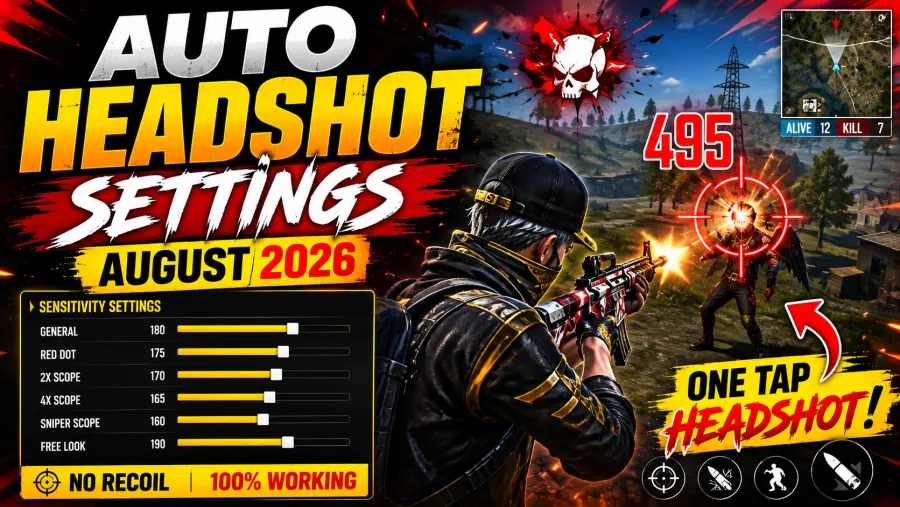
Best Free Fire MAX Sensitivity Settings for Headshots, No Recoil & Smooth Gameplay
Landing clean headshots in Garena Free Fire or Free Fire MAX can completely change the outcome of a match. Whether you're playing Clash Squad, Battle Royale, or Lone Wolf, accurate headshots help you eliminate enemies faster and climb the ranks more efficiently.
Many players search for "auto headshot hacks" or "100% headshot config files," but the reality is that using third-party tools can lead to permanent account bans. Professional players don't rely on cheats—they rely on optimized sensitivity settings, customized HUD layouts, and hours of practice.
If you've ever wondered how top players consistently hit red damage numbers with weapons like the M1887, MP40, Desert Eagle, or AK47, the answer lies in their game settings and drag-shot technique.
In this guide, you'll find the best Free Fire MAX sensitivity settings for different devices, learn how to reduce recoil, optimize your controls, and improve your headshot accuracy without breaking Garena's rules.
Why Sensitivity Settings Matter in Free Fire
Sensitivity controls how quickly your aim responds when you move your finger across the screen.
If your sensitivity is:
- Too High: Your crosshair may fly over the enemy's head.
- Too Low: Your aim may stick to the enemy's chest, making headshots difficult.
The ideal sensitivity depends on several factors, including your phone's RAM, display refresh rate, touch response, and personal playstyle.
Choosing the right settings allows smoother aim movement and better drag shots.
Best Free Fire Sensitivity Settings (August 2026)
Different smartphones perform differently. Lower-end devices often require slightly higher sensitivity to compensate for input delay, while flagship devices with 90Hz or 120Hz displays work better with lower values for improved control.
Device-Wise Recommended Sensitivity
| Sensitivity | 2GB–3GB RAM | 4GB–6GB RAM | 8GB+ RAM |
|---|---|---|---|
| General | 180–195 | 160–180 | 140–165 |
| Red Dot | 175–190 | 170–185 | 150–170 |
| 2x Scope | 180–195 | 170–190 | 160–185 |
| 4x Scope | 180–190 | 170–190 | 160–180 |
| Sniper Scope | 170–185 | 165–175 | 150–165 |
| Free Look | 190–200 | 190–200 | 180–190 |
Tip: Some versions of Free Fire use a 0–100 sensitivity scale instead of 0–200. If your game uses the 100-point scale, simply divide the values above by two.
Best Sensitivity for Different Playstyles
Every player has a unique gameplay style. Your settings should complement the weapons you use most often.
Shotgun & One-Tap Players
Perfect for:
- M1887
- Desert Eagle
- Woodpecker
- SKS
Recommended Settings:
- General: 190–195
- Red Dot: 185–190
- 2x Scope: 170–175
- 4x Scope: 160–165
- Sniper Scope: 90–95
- Free Look: 130–140
These settings provide extremely fast drag movement for instant headshots.
Assault Rifle & SMG Players
Ideal for:
- AK47
- SCAR
- UMP
- MP40
- MP5
Recommended Settings:
- General: 160–170
- Red Dot: 150–160
- 2x Scope: 140–150
- 4x Scope: 130–140
- Sniper Scope: 60–75
- Free Look: 100–110
These values help maintain smoother recoil control during continuous spraying.
Best HUD Layout for Easy Headshots
Sensitivity alone won't improve your gameplay if your HUD isn't optimized.
A properly positioned Fire Button gives your thumb enough space to perform clean upward drag shots.
Fire Button Size
Professional players usually keep their fire button between:
42%–48%
A slightly smaller button allows quicker finger movement.
Fire Button Position
Place the Fire Button near the lower-right corner of your screen.
This creates a longer drag distance, making headshots easier.
Enable Quick Weapon Switch
Turning on Quick Weapon Switch helps reset recoil after every shot, especially useful for shotgun players.
How to Perform Perfect Drag Headshots
Drag shots are one of the most important skills in Free Fire.
Here are two effective techniques.
Straight Drag
Best for:
- Stationary enemies
- Long-range fights
How to perform:
- Aim near the enemy's chest.
- Tap the Fire Button.
- Drag your finger straight upward quickly.
With proper sensitivity, the crosshair naturally moves toward the head.
Curved Drag
Best for:
- Jumping enemies
- Close-range fights
- Side-moving opponents
Instead of dragging straight upward, move your finger in a slight curved or "J" motion following the enemy's movement.
This improves tracking accuracy.
How to Reduce Recoil in Free Fire
While sensitivity helps, recoil control also depends on your shooting technique.
For better accuracy:
- Fire in short bursts.
- Pull slightly downward during long sprays.
- Avoid moving while spraying at long range.
- Use crouch during medium-range fights whenever possible.
Combining these habits with the recommended sensitivity settings will significantly improve your aim.
Common Sensitivity Problems & Solutions
If your settings don't feel right, don't worry.
Here are quick fixes.
Problem: Crosshair Goes Above the Head
Cause:
Sensitivity is too high.
Solution:
Reduce General and Red Dot sensitivity by 3–5 points.
Problem: Crosshair Stays on the Chest
Cause:
Sensitivity is too low.
Solution:
Increase General and Red Dot sensitivity by 3–5 points.
Problem: Scope Feels Too Shaky
Cause:
Scope sensitivity is too high.
Solution:
Lower 2x and 4x sensitivity by 5–10 points.
Extra Tips for Better Headshots
Want even better accuracy?
Follow these professional tips:
- Use Smooth Graphics for higher FPS.
- Enable High FPS Mode if available.
- Keep your screen clean before playing.
- Use gaming finger sleeves for smoother drag.
- Avoid playing while charging your phone.
- Warm up for 10–15 minutes in Training Ground before ranked matches.
- Practice drag shots on moving bots daily.
Consistency comes from regular practice—not changing settings every day.
Frequently Asked Questions (FAQs)
Which sensitivity is best for auto headshots in Free Fire?
There isn't one universal setting. The best sensitivity depends on your phone's performance, screen refresh rate, and gameplay style. Start with the recommended values in this guide and fine-tune them to your comfort.
Can sensitivity settings remove recoil?
No. Sensitivity doesn't eliminate recoil, but it helps you control it more effectively by improving aim movement and drag accuracy.
Are auto headshot apps safe?
No. Third-party hacks, scripts, and modified APKs violate Garena's policies and may result in a permanent account ban.
Which graphics setting is best for competitive gameplay?
Most competitive players prefer Smooth Graphics with High or Ultra FPS enabled for faster touch response and smoother gameplay.
How often should I change my sensitivity?
Avoid changing it frequently. Stick with one setup for several days and make only small adjustments after testing in Training Ground.
The best Free Fire sensitivity settings aren't about copying a professional player's exact numbers—they're about finding the right balance for your device and playstyle. Whether you're using a budget smartphone or a flagship gaming phone, proper sensitivity, a well-optimized HUD, and consistent drag-shot practice can dramatically improve your headshot accuracy.
Remember, there is no legitimate "auto headshot" hack. The players who consistently land red damage numbers do so because they've mastered their settings and mechanics through practice. Use the recommended configurations in this guide as your starting point, test them in Training Ground, and make small adjustments until they feel natural.
With patience and regular practice, you'll notice smoother aim, better recoil control, and far more satisfying headshots in every ranked match.