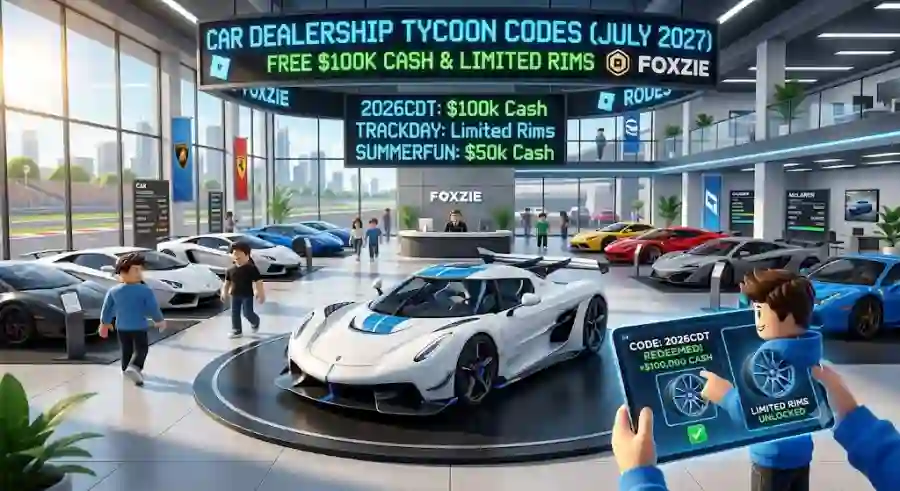
Latest Roblox Car Dealership Tycoon Codes (July 2026) to Unlock Huge Cash Rewards, Rare Vehicles, and Premium Cosmetics
Highlights of Car Dealership Tycoon Codes July 2026
Before jumping into the complete list, here are the biggest benefits players can receive from current CDT promotional codes:
- Free cash rewards ranging from $15,000 to more than $100,000
- Exclusive vehicle rewards
- Limited-edition cosmetic items
- Special developer event rewards
- Faster dealership upgrades
- More opportunities to purchase premium cars
The best part is that redeeming these rewards only takes a few seconds. However, players need to act quickly because Roblox codes often expire when developers release new updates, seasonal events, or community milestones.
Active Car Dealership Tycoon Codes (July 2026)
The following codes are currently available for Roblox Car Dealership Tycoon players.
Developers frequently change promotional codes, so always redeem them as soon as possible. Roblox codes are also case-sensitive, meaning even a small typing mistake can prevent the reward from appearing.
For the safest results, copy and paste each code directly into the game.
Working Cash Codes for Free Money
These active codes provide large amounts of in-game cash that can help players expand their dealership faster.
TRACKDAY
Reward: $80,000 Cash
BURNOUT
Reward: $100,000 Cash
EVOLUTION
Reward: $100,000 Cash
QUARTERMILE
Reward: $100,000 Cash
FASTFORWARD
Reward: $100,000 Cash
MAZDASPEED
Reward: $100,000 Cash
BURNRUBBER
Reward: $80,000 Cash
SUNNYDAYS
Reward: $80,000 Cash
2026CDT
Reward: $80,000 Cash
CONCEPTS
Reward: $80,000 Cash
EGGHUNT
Reward: $80,000 Cash
ZOOMZOOM
Reward: $100,000 Cash
HYPERCARS
Reward: $100,000 Cash
FORMULAFAN
Reward: $100,000 Cash
Active Vehicle and Cosmetic Codes
Cash is not the only reward available in Car Dealership Tycoon. Some codes unlock special vehicles and exclusive items that are difficult to obtain through normal gameplay.
FOXZIER8
Reward: Audi R8 Coupé Performance Quattro “Foxzie Edition”
This special vehicle reward gives collectors a chance to add a unique edition car connected with the game’s developer.
Tstingray
Reward: $50,000 Cash
Despite being listed under vehicle-related rewards, this code provides a valuable cash bonus to help players upgrade their dealership.
Foxzie
Reward: $15,000 Cash
A smaller reward compared with the bigger cash codes, but still useful for players who need extra money for upgrades or purchases.
How Much Free Money Can You Earn From CDT Codes?
The total value of these rewards can be massive.
Individual codes can provide anywhere from $15,000 to over $100,000 per redemption. By claiming only three or four of the highest-value codes, players can easily collect more than $400,000 in fresh cash instantly.
For new players, this amount of money can completely change the early game experience. Instead of slowly saving for basic upgrades, they can immediately invest in better vehicles, larger dealership areas, and faster business growth.
Experienced players can also benefit because extra cash allows them to complete collections, purchase expensive cars, and improve their dealership rankings.
How to Redeem Car Dealership Tycoon Codes in Roblox
Redeeming CDT codes is a quick process that takes only a few moments. Players who are new to the game or have not used codes recently can follow these simple instructions.
Quick Redemption Path:
Launch Game → Click Gear Icon (Top Left) → Scroll to “Codes” → Enter Code → Click “+”
Follow these steps:
Step 1: Open Car Dealership Tycoon
Start Car Dealership Tycoon through the Roblox app and enter your dealership world.
Step 2: Open Settings
Look at the top-left corner of your screen near your cash balance.
Click the Settings button with the Gear icon.
Step 3: Find the Codes Section
Scroll down through the Settings menu until you find the Codes text field.
This is where you will enter your promotional rewards.
Step 4: Enter an Active Code
Copy one of the working codes from the list above and paste it into the box.
Remember that Roblox codes are case-sensitive, so keep the exact spelling and capitalization.
Step 5: Claim Your Reward
Click the green “+” button or press Enter to submit the code.
If the code is valid, a confirmation popup will appear showing the amount of cash or item added to your account.