Earn Legitimate Roblox Rewards Without Paying: How Microsoft Rewards Points Can Turn Into Robux
Microsoft's official Rewards program lets eligible users earn points through activities across Microsoft's ecosystem and exchange those points for available rewards. Roblox Digital Cards are currently listed in the Microsoft Rewards catalog in supported markets, although reward availability and pricing can change by region and over time.
What Is Microsoft Rewards?
Microsoft Rewards is Microsoft's official loyalty program. Instead of paying users directly for their time, Microsoft awards points for eligible activities such as Bing searches and other activities available through its services.
Microsoft itself recommends checking the Rewards dashboard for current offers and says users can earn through Bing, mobile activities and Xbox-related activities.
The important point is that Microsoft Rewards is not a Robux generator.
You are not typing your Roblox username into a third-party website and waiting for fake currency to appear. You are earning Microsoft Rewards points and then exchanging those points for an available reward.
When a Roblox Digital Card is available in your market, that reward can be redeemed and subsequently used at Roblox.
Microsoft's current Rewards catalog, for example, lists a Roblox Digital Card for 13,000 points in one catalog view, while another current listing shows a 16,250-point option. That difference is a useful reminder that Rewards pricing can vary by market, account, offer and redemption option.
Is Microsoft Rewards Actually Free?
Yes, there is no requirement to purchase Robux in order to participate in Microsoft Rewards.
You earn Rewards points through qualifying activities and use those points toward rewards.
That said, “free” does not mean instant.
You are effectively exchanging time and normal Microsoft activity for points. Depending on your market, available tasks, account status and daily limits, reaching a larger reward can take days or weeks.
This is very different from websites claiming that you can receive thousands of Robux instantly.
Those websites should be treated with extreme caution.
How Many Microsoft Rewards Points Do You Need for Robux?
This is one area where older guides can quickly become outdated.
The supplied figures often quoted online include approximately:
| Reward Tier | Previously Cited Microsoft Points | Estimated Earning Time |
|---|---|---|
| 100 Robux | ~1,500 points | 5–7 days |
| 400 Robux | ~6,750 points | 3–4 weeks |
| 800 Robux | ~13,000 points | 6–7 weeks |
| 1,000 Robux | ~16,250 points | About 2 months |
These numbers should be treated as estimates rather than permanent Rewards prices.
Microsoft's live catalog currently shows Roblox Digital Card options around 13,000 and 16,250 points in surfaced listings, with the associated options showing 800 and 1,000 Robux.
There has also been a 100 Robux Microsoft Rewards listing in the catalog, showing that smaller promotional or regional offers can appear separately.
The safest approach is simple: always check your own Microsoft Rewards Redeem page before planning around a particular point total.
Microsoft explicitly states that rewards and offers vary by country and that some gift cards are not always available.
Step 1: Create or Access Your Microsoft Rewards Account
Getting started is straightforward.
Visit the Microsoft Rewards Dashboard
Open the official Microsoft Rewards website and sign in with your Microsoft account.
If you already use Microsoft services or Xbox, you may already have an eligible Microsoft account.
If you do not have one, you can create a Microsoft account and then access Rewards where the program is available.
Check Your Existing Balance
Before you start earning, look at your current points.
You may already have a balance from previous Bing searches or Microsoft activity.
Microsoft's Rewards dashboard is also where you can see available earning opportunities, redemption choices and your current progress.
Step 2: Build a Daily Microsoft Rewards Routine
The biggest mistake beginners make is treating Microsoft Rewards as something they should use only occasionally.
A consistent routine is much more effective.
1. Complete the Daily Set
The Rewards dashboard can provide a Daily Set containing small activities such as polls, quizzes, searches or other featured tasks.
The exact activities and point values can change, so don't assume that every account will see precisely the same tasks every day.
Completing daily activities can also contribute toward streaks and bonus opportunities when those features are offered.
The original strategy of checking the dashboard every day remains useful: open Rewards, complete the available Daily Set, then move on to other eligible activities.
2. Use Bing Searches Naturally
Bing searches are another important part of the Rewards system.
Depending on your market and account, Microsoft may award points for eligible searches on supported devices.
You can search for things you genuinely want to know rather than treating every search like a chore. News, game information, weather, sports results, technology questions and everyday research can all become normal opportunities to use Bing.
The old tactic of rapidly entering meaningless searches should not be treated as a guaranteed strategy. Microsoft has rules against automated or abusive point farming, so the safer approach is to use searches naturally and stay within the limits shown on your account.
3. Check Microsoft Edge and Mobile Opportunities
Microsoft Rewards can include activities involving Microsoft's browser and mobile ecosystem.
The exact bonuses and limits vary, so check your dashboard instead of relying on a fixed number from an older guide.
Microsoft specifically highlights earning on the go through Bing mobile and earning through Xbox-related activities.
4. Use Xbox-Related Rewards Activities
For people who already play games on Xbox or PC, the Rewards ecosystem can offer additional ways to earn.
The original strategy includes:
- Signing in through the Xbox mobile app.
- Playing a PC game such as Solitaire or Minecraft.
- Completing eligible Xbox Game Pass quests when available and when you are a subscriber.
The important distinction is that these activities should be completed because they are actually listed as eligible Rewards activities on your account. Microsoft changes available offers over time.
Step 3: Find the Roblox Digital Card
Once you've accumulated enough points, open the Redeem section of Microsoft Rewards.
Search for “Roblox.”
If a Roblox Digital Card is available for your account and region, it will appear among the available rewards.
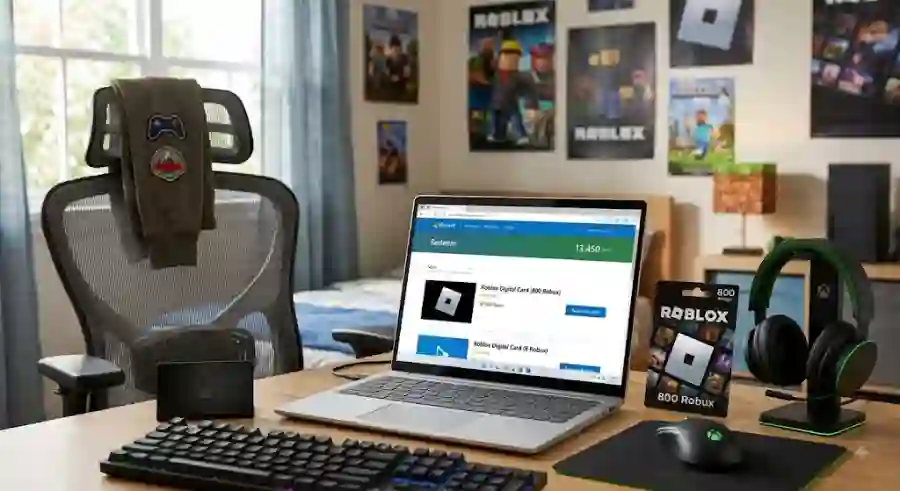
Current Microsoft Rewards listings confirm that Roblox Digital Cards can appear in the catalog, with some current listings showing 13,000 points for an 800 Robux option and others showing 16,250 points for a 1,000 Robux option.
Why Your Friend May See a Different Price
This can be confusing.
You might see a Roblox reward at one price while another user reports a different price online.
That does not automatically mean one of you is looking at a fake page.
Microsoft says Rewards offers vary by country, and current catalog listings demonstrate that Roblox reward pricing can differ between available options.
Your own Rewards dashboard is therefore the best source for the price you will actually pay in points.
Step 4: Redeem Your Microsoft Rewards Points
When you have enough points:
- Open your Microsoft Rewards dashboard.
- Select the Redeem section.
- Search for Roblox.
- Select the available Roblox Digital Card.
- Choose the reward option shown for your account.
- Review the redemption details.
- Confirm the redemption.
Microsoft explains that eligible rewards become visible once you have enough points, while some rewards may disappear temporarily when unavailable.
The exact delivery method can also vary. Follow the instructions displayed after your redemption rather than assuming every reward will arrive through the same method.
Step 5: Redeem the Roblox Code
After receiving the Roblox Digital Card or code, the next step is to claim it on Roblox.
Roblox Gift Card Redemption Page
The official Roblox process is:
- Open Roblox.com/redeem in a web browser.
- Sign in to the Roblox account where you want to use the card.
- Enter the code.
- Click Redeem.
- Wait for the confirmation message.
Roblox confirms that gift cards and codes can be redeemed through the web redemption page. Standard Roblox mobile apps and consoles do not generally provide the normal gift-card redemption page, although Samsung Galaxy users have a separate in-app redemption option.
If the card is a Roblox Digital Card intended directly for Robux, follow the specific terms attached to that reward. Some Roblox gift cards instead add Roblox Credit, which can then be used toward eligible Roblox purchases.
What If Roblox Gift Cards Are Out of Stock?
Don't assume something is wrong with your account.
Microsoft says some gift cards are not always available through Rewards and recommends checking back regularly.
The original guide describes Roblox gift cards temporarily disappearing because of demand and suggests continuing to save points while waiting.
That is a sensible approach, but there is no guaranteed restock schedule. Microsoft controls the Rewards catalog, and availability can change.
If Roblox is temporarily unavailable, keeping your points is generally more useful than spending them on an unwanted reward.
Can Microsoft Gift Cards Be Used Instead?
In some situations, users may see Microsoft Gift Cards instead of, or in addition to, Roblox Digital Cards.
The original guide suggests using Microsoft Gift Cards for Roblox purchases through Windows or Xbox. The exact purchasing flow and availability can depend on the Roblox version, Microsoft Store setup, account and region, so users should check the purchase options available on their own device before redeeming points.
Microsoft's Rewards catalog includes Microsoft and Xbox gift-card rewards alongside other gaming rewards in supported markets.
Important Rules: How Not to Lose Your Rewards Account
This is arguably the most important part of the entire guide.
Microsoft Rewards is legitimate, but it is not designed to be exploited.
Never Use a VPN to Manipulate Rewards
Do not use a VPN or proxy to pretend you are in another country for higher point limits or different rewards.
Microsoft explicitly warns users not to use VPNs when redeeming Rewards and says rewards should be redeemed in the same region where they were earned.
Don't Use Search Bots or Automation
Avoid scripts, macros, bots, emulators or other automated systems designed to generate Rewards points.
Microsoft says automated methods, bots, macros, mobile emulators and services that alter a user's true IP address can result in account action, including suspension and invalidation of points.
Don't Create Fake Accounts
Trying to manufacture dozens of Microsoft accounts simply to multiply your Rewards earnings is not a safe strategy.
Microsoft's account policy specifically warns against maintaining multiple user accounts and other activity intended to manipulate the program.
A household can have legitimate users, but that is very different from creating fake accounts solely to farm points.
Why This Method Is Safer Than “Free Robux Generators”
There is a major difference between Microsoft Rewards and a random Robux generator website.
A legitimate Rewards process does not require you to provide your Roblox password to a stranger.
It does not promise unlimited Robux instantly.
It does not ask you to install suspicious software to unlock a reward.
And it operates through Microsoft and Roblox's official ecosystems.
Roblox itself warns that gift cards obtained through unauthorized sellers, resellers or distributors may not be honored.
That is why users should be especially careful when they see social-media posts offering “working Robux codes” or websites claiming they can generate millions of Robux.
If a website asks for your Roblox password, stop.
A Realistic Way to Approach Microsoft Rewards
The best mindset is not to think of Microsoft Rewards as a shortcut to unlimited Robux.
Think of it as a small daily rewards program.
Spend a few minutes checking your available activities. Complete legitimate tasks. Use Bing normally. Check eligible Xbox opportunities if you already use Xbox or PC gaming services.
Then save your points.
The original guide estimates that spending around 3–5 minutes per day can gradually build hundreds of Robux over time. The exact result varies significantly because Microsoft changes point limits, activities, reward prices and availability by market and account.
That variability is important.
There is no universal “earn exactly X points every day” formula that will remain accurate forever.
Why Microsoft Rewards Matters for Roblox Players
Robux sit at the center of a huge part of the Roblox experience.
Players use them for avatar items, accessories, game-related purchases and other digital experiences. For younger players especially, finding legitimate ways to reduce spending can be appealing.
Microsoft Rewards provides a way to turn ordinary Microsoft activity into points that can potentially become gaming rewards.
The real value is not speed. It is legitimacy.
Instead of gambling with your Roblox account on a suspicious generator, you can build Rewards points gradually and use an official redemption system.