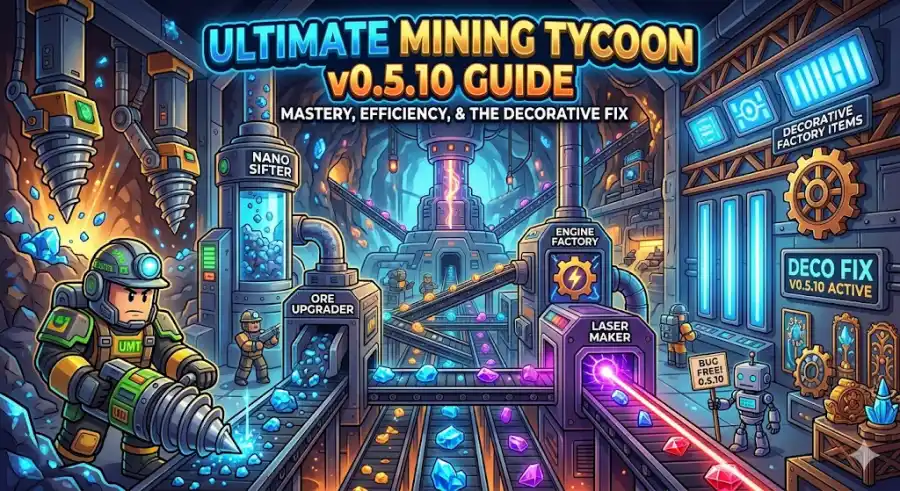
Master Your Factory Design with the v0.5.10 Stability Update
If you’ve been playing Ultimate Mining Tycoon recently, you probably already know that moving from a beginner setup to a powerful factory is not easy. The game takes time, patience, and a bit of smart planning. With the new v0.5.10 update released in April 2026, things have changed again—and this time in a good way.
Many players are busy searching for new codes, but if you really want to improve, you need to understand what has changed in the game. This update brings important fixes, better machine balance, and smoother gameplay overall. In this guide, I’ll explain everything in simple language so you can grow faster and earn more money.
The Big Fix, Decorative Items Finally Work Properly
Let’s start with one of the most important updates.
Before this patch, many players had a frustrating problem. Decorative items like walls, furniture, and blocks would sometimes disappear when you rejoined the game. If items were placed too close together, they often failed to load properly. This made building a good-looking factory very risky.
Now, in v0.5.10, the developers have fixed this issue completely by improving how factories load.
What this means for you:
You can now decorate your base freely without worrying about losing items. Everything should stay exactly where you placed it.
Why decoration actually matters:
Many players think decoration is just for looks, but it actually helps your factory run better.
For example:
- Using walls around conveyors can stop ores from falling off
- A clean layout helps you manage machines easily
- It reduces problems caused by lag
Decorative items now stay even after you Prestige. So, if you spend time building a nice base early on, you won’t lose it later. This makes decorating more useful than before.
Machine Changes You Should Know
This update also changed how some machines work. If your factory feels slower than before, this is probably why.
Laser Maker Buff
The Laser Maker is now stronger. Its bonus has increased from 150% to 175%.
This is a big improvement.
You should always place a Laser Maker near the end of your setup. It should be one of the last machines before selling your ore. If you skip this, you are losing a lot of money.
Engine Factory Boost
The Engine Factory now gives a 150% bonus, making it much more useful.
If you are in mid or late game, you should definitely include this in your setup. It helps increase your total earnings.
Filigree Upgrade
Filigree has improved from 10% to 20%.
Even though the number looks small, it becomes powerful when combined with other machines. Small boosts add up over time.
Blast Furnace Improvement
The penalty for the Blast Furnace has been reduced from -20% to -10%.
This means you can process large amounts of ore faster without losing too much value, which makes it more useful than before.
Understanding Prestige
If you are a returning player, you may remember it as “Rebirth.” Now it is called Prestige.
To Prestige for the first time, you need $20 million.
A common mistake is prestiging as soon as you reach this amount. This is not the best way to play.
What you should do instead
Wait a bit longer and earn more before resetting. This helps you get more Medals, which are very important for upgrades.
Best Upgrades to Buy with Medals
After Prestiging, you can spend your Medals in the shop. Here are the best options:
1. Nano Sifter
This is one of the most useful items in the game.
- It gives a chance to produce better ores
- It improves your earnings from the beginning
You should try to unlock this early.
2. Philosopher’s Stone
This gives a 1.25x value boost to your ores.
It may not look very big, but it increases your total income over time.
3. Speed Upgrades
Do not ignore these:
- Walk speed
- Vehicle power
These help you move faster between the mine and your base, saving time and improving efficiency.
The Nano Sifter Loop
With the new update, one layout strategy works very well.
How it works:
- Place the Nano Sifter at the start
- Send ore into an Ore Upgrader
- Then process it through your machines
Why this is effective:
Your ore becomes higher quality very early. This allows you to earn more money without needing to go to deeper mines too soon.
It is a simple but powerful setup that works for most players.
No More Vehicle Glitches
Earlier, there was a bug where players could:
- Get thrown out of vehicles
- Fall into walls or under the map
This made using vehicles frustrating.
Now, in v0.5.10, this issue has been fixed. Vehicles are smoother and more reliable.
So if you avoided using trucks or heavy machines before, you can now use them without problems.
The Ultimate Mining Tycoon v0.5.10 update may not look huge at first, but it improves the game in many important ways.
Here’s what makes it a strong update:
- Decorative items now work properly
- Machines are better balanced
- Prestige system feels more rewarding
- Major bugs have been fixed
If you want to grow faster, focus on:
- Using the Laser Maker in your setup
- Building a clean and organized factory
- Spending Medals wisely
Quick Checklist Before You Play
Before starting your next session, make sure you:
- Check for new codes like APRIL2026 or FIXEDDECO
- Rebuild your base with proper walls and layout
- Use improved machines like the Laser Maker and Engine Factory
- Plan your Prestige instead of rushing it