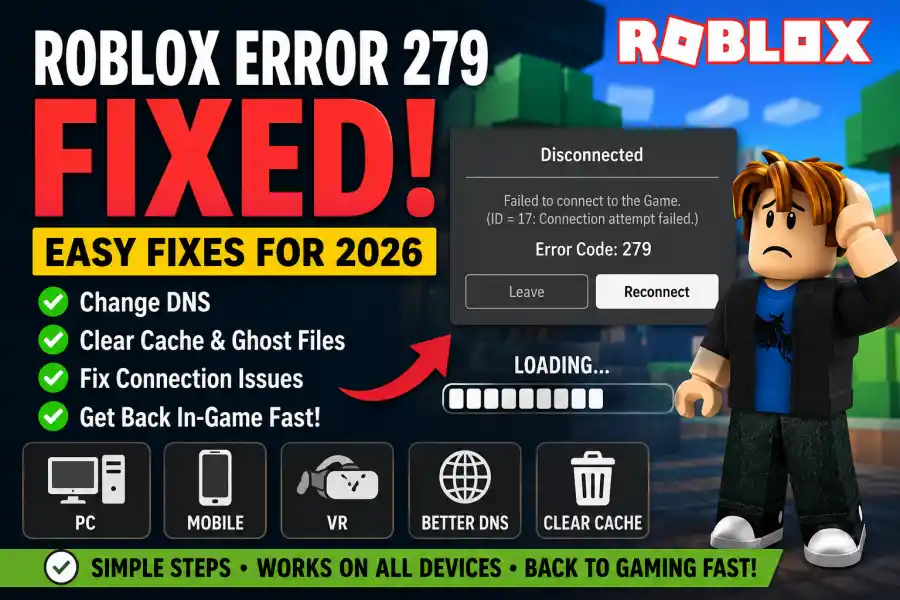
Roblox Error 279 in 2026 Easy Fixes to Get Back Into Your Game
Few things are more annoying than opening Roblox, clicking the Play button, and suddenly seeing Error Code 279 on your screen. One moment you are ready to join your friends in a game, and the next moment you are stuck looking at a connection failed message.
Even in 2026, Roblox Error 279 is still one of the most common problems players face. The good news is that this error is usually easy to fix once you understand what is causing it.
If you are getting the “ID=17: Connection attempt failed” message, this guide will help you fix it step by step using simple methods that work for most players.
What Is Roblox Error 279?
Roblox Error 279 is mainly a connection problem. It happens when your device tries to connect to a Roblox server, but the server does not respond in time.
This does not mean Roblox has crashed completely. It only means your device and the Roblox server failed to connect properly.
The issue can happen on PC, mobile devices, tablets, or even consoles. Sometimes the problem comes from your internet connection, while other times Roblox servers or browser settings are responsible.
In 2026, Roblox games are larger and more demanding than before. Many experiences now use advanced graphics, live events, and server-heavy systems, which means connection problems happen more often if your network is unstable.
Why Roblox Error 279 Happens in 2026
There are several common reasons why players still face this error today.
Slow or Unstable Internet
This is still the biggest reason. Weak Wi-Fi or unstable mobile data can stop Roblox from connecting properly.
Roblox Server Problems
Sometimes Roblox servers go down during updates or large events. If servers are overloaded, players may receive Error 279.
Firewall or Antivirus Blocking Roblox
Some security programs think Roblox traffic is suspicious and block the connection.
Browser Extensions
Ad-blockers and privacy extensions can interfere with Roblox if you launch games through a browser.
Corrupted Roblox Files
Broken temporary files or cache data can stop the game from connecting correctly.
DNS Problems
Your internet provider’s DNS system may be slow or outdated, causing connection delays.
Easy Fixes for Roblox Error 279
Before trying advanced methods, start with the simple fixes first. Many players solve the issue within minutes.
1. Restart Your Device Properly
A quick restart can refresh your internet connection and remove temporary network problems.
On PC or Laptop
- Shut down your computer completely
- Unplug the power cable for about 30 seconds
- Turn the system back on
On Mobile
- Close Roblox completely
- Turn Airplane Mode on for 15 seconds
- Turn it off again
- Reconnect to Wi-Fi or mobile data
This small reset often fixes temporary connection issues.
2. Check If Roblox Servers Are Down
Sometimes the problem is not on your side.
If many players are getting Error 279 at the same time, Roblox servers may be having issues.
Check:
- The official Roblox server status page
- Community forums
- Social media posts
- DownDetector reports
If servers are down, you simply need to wait until Roblox fixes the issue.
3. Switch to a Better DNS
Changing your DNS settings is one of the best fixes for Error 279.
A DNS helps your device locate Roblox servers faster. Some default DNS systems provided by internet companies are slow.
Popular DNS Options
Google DNS
- Primary: 8.8.8.8
- Secondary: 8.8.4.4
Cloudflare DNS
- Primary: 1.1.1.1
Many players notice faster loading times and fewer connection errors after switching.
4. Flush Your DNS Cache
Windows stores old network information that can sometimes become outdated.
Clearing the cache forces your PC to refresh the connection.
Steps:
- Open Command Prompt as Administrator
-
Type:
netsh winsock reset - Press Enter
-
Then type:
ipconfig /flushdns - Press Enter again
- Restart your PC
This method works surprisingly well for many Roblox connection problems.
5. Disable Browser Extensions
If you launch Roblox through Chrome, Edge, or another browser, extensions may interfere with the connection.
Ad-blockers, VPN extensions, and privacy tools are the biggest causes.
What to Do
- Disable all browser extensions temporarily
- Try launching Roblox again
- If the game works, enable extensions one by one to find the problem
You can also use the standalone Roblox app instead of the browser version.
6. Refresh Your Roblox Login Session
In 2026, Roblox security systems became stricter. Sometimes account verification or communication settings can cause connection problems.
Quick Fix
- Log out of Roblox on every device
- Wait about 5 minutes
- Log back in on your main device first
This refreshes your account session and may solve the issue.
The Deep Clean Fix
If none of the methods above work, corrupted Roblox files may be the problem.
A normal uninstall usually leaves behind old files. You need to completely remove Roblox data.
How to Perform a Clean Reinstall
Step 1: Uninstall Roblox
Remove Roblox from:
- Control Panel
- Windows Settings
- Mobile App Manager
Step 2: Delete Local Roblox Files
On Windows:
- Press Windows Key + R
-
Type:
%localappdata% - Press Enter
- Find the Roblox folder
- Delete it completely
Step 3: Clear Browser Cache
Delete:
- Cookies
- Cached images
- Temporary files
Step 4: Reinstall Roblox
Download a fresh copy from the official Roblox website and install it again.
This removes corrupted files and gives you a clean installation.
Here are some extra ways to prevent the issue in the future:
- Use a stable Wi-Fi connection instead of mobile data
- Avoid downloading large files while gaming
- Keep Roblox updated
- Update your network drivers regularly
- Restart your router once every few days
- Disable VPNs while playing Roblox
These small habits can improve your overall connection quality.
Roblox Error 279 can be frustrating, especially when your friends are already inside the game waiting for you. But most of the time, the problem is not serious.
Usually, changing your DNS, clearing the DNS cache, or reinstalling Roblox completely will solve the issue quickly.
As Roblox games become larger and more advanced in 2026, connection problems like this may still happen from time to time. The important thing is knowing how to fix them fast so you can get back into the game without wasting hours searching for solutions.
If you still face Error 279 after trying every method, the problem may be related to a specific game server or your internet provider.