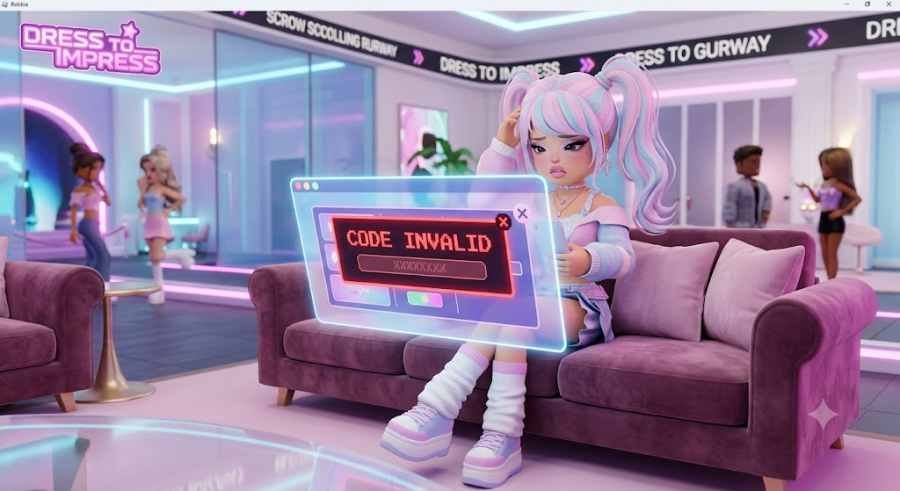
DTI Promo Code Not Working? Here’s Every Reason Your Dress to Impress Code Is Invalid and How to Fix It
The good news is that, in most cases, the problem has a simple explanation. Sometimes the code has expired. Other times it's a formatting mistake, a redemption menu mix-up, temporary server problems, or even a platform compatibility issue.
Highlights
- Understand why Dress to Impress promo codes become invalid.
- Learn how expired codes affect redemption.
- Avoid common capitalization and formatting mistakes.
- Discover the difference between standard promo codes and DLC codes.
- Fix mobile and console redemption issues.
- Handle Roblox server lag during major updates.
- Follow the correct redemption process every time.
- Find trustworthy sources for active DTI promo codes.
Why Does Dress to Impress Show an "Invalid Code" Error?
Seeing an invalid message doesn't always mean you've entered the wrong code. In reality, the game's redemption system checks several conditions before approving a reward.
If even one of those conditions fails, the game immediately rejects the code.
Let's look at each possible cause in detail.
1. The Promo Code Has Already Expired
The Most Common Reason Behind Invalid Codes
By far, the biggest reason players encounter an invalid code error is because the promo code is no longer active.
Unlike permanent unlock codes, many Dress to Impress rewards are designed to be available only for a limited period. The development team frequently releases promotional codes during:
- Pride celebrations
- Seasonal updates
- Holiday events
- Community milestones
- Collaboration campaigns
- Limited-time creator promotions
While a handful of creator-focused codes remain active for months, event-exclusive rewards often disappear surprisingly quickly.
Some promotional codes stay active for only a few weeks.
Others may expire within days.
In rare promotional events, certain codes have even been available for only a few hours before being removed.
Because of this, players who discover codes through old YouTube videos, outdated blog articles, or recycled social media posts often end up trying to redeem rewards that have already expired.
When that happens, the game immediately responds with an Invalid Code notification.
Be Careful With Older Popular Codes
Many previously popular promo codes are no longer accepted by the game.
Examples include:
- KATSEYE
- FACECARD
- WINTERUPDATE
Although these codes once rewarded players with exclusive cosmetics, they have long since expired.
Trying to redeem them today will instantly trigger an invalid error.
Pro Tip
Before copying any Dress to Impress code, always check when it was published.
Even websites that rank highly on Google sometimes fail to remove expired codes, leading players to waste time trying rewards that no longer exist.
Whenever possible, verify the publication date before attempting redemption.
2. Capitalization, Case Sensitivity, and Hidden Spaces Can Break a Code
Many Roblox players underestimate just how strict promo code systems can be.
Dress to Impress is no exception.
The game's redemption system expects every code to match the original version exactly as released by the developers.
That includes:
- Uppercase letters
- Lowercase letters
- Numbers
- Special characters
- Character order
Even one small typing mistake is enough for the system to reject the entire code.
Common Mistakes Players Make
Several tiny errors happen more often than players realize.
For example:
- Using a lowercase "l" instead of a capital "I"
- Entering the number "0" instead of the letter "O"
- Forgetting a number
- Swapping two letters
- Missing a character completely
Although these mistakes seem minor to players, the redemption system treats them as completely different codes.
As a result, you'll immediately receive the invalid message.
Hidden Spaces Are Surprisingly Common
Copying and pasting codes directly from websites is convenient—but it also creates another common problem.
Sometimes an invisible blank space gets copied before or after the code.
For example:
" PROUD"
or
"PROUD "
may look perfectly fine.
However, the game's redemption system reads those hidden spaces as additional characters.
To the system, these are completely different entries from:
PROUD
This is one of the easiest mistakes to overlook, especially when copying codes from large lists online.
Before pressing Redeem, it's always worth checking whether an extra blank space has been added at the beginning or end of the text.
3. You Might Be Redeeming the Wrong Type of Code
As Dress to Impress has grown into one of Roblox's biggest fashion experiences, the game has expanded beyond digital cosmetics.
Today, players can also purchase official physical merchandise, including collectible toys and blind boxes that include exclusive in-game rewards.
However, this has introduced a new source of confusion.
Many players don't realize there are now two completely different redemption systems inside Dress to Impress.
One is designed for standard promotional codes.
The other exists specifically for physical merchandise rewards.
Entering the wrong type of code into the wrong redemption menu almost always results in an invalid code error.
Standard Promo Codes
Regular promotional codes are the free rewards shared by the developers during:
- Updates
- Community events
- Seasonal celebrations
- Creator campaigns
- Special announcements
These are redeemed through the familiar promo code window accessed from the game's pink handbag icon.
Simply entering the code into this field allows eligible players to unlock their rewards.
DLC Merchandise Codes
Physical Dress to Impress merchandise works differently.
Many official toys and collectible products include scratch-off redemption cards containing exclusive DLC rewards, such as limited makeup collections and other cosmetic items.
These codes cannot be entered into the normal promo code box.
Instead, players must choose the separate pink "DLC Code" button positioned above the standard redemption window.
Using a merchandise DLC code inside the regular promo code box prevents the game from recognizing the code's format, causing it to return an invalid error even if the code itself is perfectly legitimate.
Understanding the difference between these two redemption systems can save players a great deal of unnecessary frustration.
4. Platform and Device Compatibility Can Prevent DLC Code Redemption
Not every redemption issue is caused by an expired code or a typing mistake. In some cases, the device you're using to play Dress to Impress can also create unexpected problems—especially when redeeming physical merchandise DLC codes.
As the game has expanded with official toys, collectible blind boxes, and exclusive merchandise, more players have started redeeming special DLC rewards alongside traditional promo codes. While this has added exciting collectible content, it has also introduced occasional platform-specific issues that have been widely discussed within the community.
Mobile and Console Players May Experience Redemption Problems
If you're playing Dress to Impress on a smartphone, tablet, or gaming console and attempting to redeem a physical merchandise code, your device could be the reason the redemption keeps failing.
Historically, many players have reported that the dedicated DLC redemption system has experienced optimization issues on certain platforms. Instead of successfully verifying the code, the game may repeatedly display an "Invalid Code" message or become stuck in a redemption loop.
It's important to note that this issue generally affects physical DLC merchandise codes, not the regular promotional codes distributed during game events.
Because of these compatibility limitations, many players mistakenly believe their code has expired when the real issue lies with the platform being used.
The Best Solution
If your merchandise DLC code refuses to work on mobile or console, try switching to a desktop computer.
Log into your Roblox account on a Windows PC or Mac, launch Dress to Impress, and attempt the redemption again using the correct DLC redemption menu.
Many players have successfully redeemed previously "invalid" codes simply by changing devices.
5. Roblox Server Lag and Desynchronization Issues
Sometimes the problem isn't your code.
Sometimes it isn't your device.
Occasionally, the issue comes from Roblox's servers themselves.
Whenever Dress to Impress launches a major content update, seasonal event, collaboration, or highly anticipated feature, the game's player count often skyrockets within minutes.
Thousands—or even tens of thousands—of players join simultaneously to check out the latest content and redeem newly released promo codes.
That sudden increase in traffic places enormous pressure on the game's servers.
How Server Lag Affects Promo Codes
Every time you click the Redeem button, your game sends a verification request to the Dress to Impress servers.
The server then checks several conditions, including:
- Whether the code still exists.
- Whether the code has expired.
- Whether you've already redeemed it.
- Whether your account is eligible.
If the server is overloaded, experiencing lag, or undergoing a minor backend update, that verification request may fail before it receives a proper response.
Instead of displaying a loading message, the game may incorrectly return an "Invalid Code" error even though the code itself is completely valid.
This temporary desynchronization is one of the more confusing issues because it makes players believe the problem is with the code rather than the server.
What Should You Do?
If a newly released code doesn't work immediately after a major update, don't panic.
Wait a few minutes, restart the game, or join another server before trying again.
Once server traffic settles down, many redemption issues resolve themselves automatically.
How to Properly Redeem Dress to Impress Promo Codes
Following the correct redemption process can eliminate many of the common mistakes that cause invalid code errors.
Use this simple checklist each time you claim a reward.
Step 1: Launch Dress to Impress
Open Roblox and start Dress to Impress using your preferred device.
Wait until the game fully loads before attempting to redeem any codes.
Step 2: Open the Promo Code Menu
Locate the pink Handbag icon on the left side of your screen.
Clicking this icon opens the game's official promo code redemption window.
If you're redeeming a physical merchandise DLC code, remember to choose the separate pink DLC Code button instead of the regular promo code field.
Selecting the correct menu is essential because the two redemption systems are not interchangeable.
Step 3: Enter the Code Carefully
Whenever possible, type the code manually.
Although copying and pasting is faster, manual entry reduces the chances of accidentally including invisible spaces or formatting errors.
Pay close attention to:
- Capital letters
- Lowercase letters
- Numbers
- Character order
Even one incorrect character will cause the game to reject the code.
Step 4: Remove Hidden Spaces
If you decide to paste the code, inspect it before clicking Redeem.
A simple trick is to press the Backspace key once after pasting.
This removes any accidental blank space that may have been copied after the final character.
Likewise, make sure there isn't an invisible space at the beginning of the code.
These tiny formatting mistakes are surprisingly common and often go unnoticed.
Step 5: Click the Pink Checkmark
Once you've confirmed everything is correct, click the pink checkmark button.
If the code is still active and entered correctly, your rewards should immediately appear inside your inventory.
What Should You Do If the Code Still Doesn't Work?
Even after following every step correctly, there may still be situations where the game refuses to accept your code.
Fortunately, there are a few additional troubleshooting methods worth trying before giving up.
Switch to Another Server
If server lag is causing the issue, leaving your current game session can often help.
Join a different public server or, if you have access, enter a private server.
Because different servers may experience different levels of traffic, changing servers sometimes allows the redemption request to process successfully.
This simple solution has helped many players during large update launches.
Remember the 24-Hour Rule for DLC Codes
Players redeeming official Dress to Impress merchandise should also keep one important detail in mind.
After a physical DLC code has been successfully verified, you must enter the game within 24 hours to ensure the associated rewards are properly added to your inventory.
Failing to do so may cause the reward synchronization process to glitch, preventing the items from appearing as expected.
If you've recently redeemed a merchandise code, don't wait too long before logging into the game.
Where to Find Genuine, Working Dress to Impress Codes
One of the biggest reasons players encounter invalid code errors is because they obtain codes from unreliable sources.
The internet is filled with outdated articles, abandoned websites, and recycled lists that continue displaying expired promo codes long after they stop working.
Instead of relying on random third-party pages, stick to trusted official sources whenever possible.
Official Dress to Impress Discord Server
The official Dress to Impress Discord community remains one of the fastest places to receive newly released promo codes.
Developers maintain a dedicated #codes channel where fresh rewards are posted as soon as they become available.
Since the announcements come directly from the development team, players can confidently redeem active codes without worrying about outdated information.
Gigi's Official Social Media Accounts
The game's creators regularly share updates across their official social media platforms.
Following Gigi on X (formerly Twitter) and TikTok is an excellent way to stay informed about:
- Celebration codes
- Sneak peeks
- Upcoming updates
- Limited-time rewards
- Community announcements
Exclusive promotional codes occasionally appear alongside these announcements, making social media one of the quickest ways to discover active rewards.
Official Roblox Group
Joining the official Dress to Impress Roblox Group is another reliable way to stay connected with the community.
Developers frequently announce milestones, celebrations, and important updates through the group, helping players avoid outdated information found elsewhere.
Remaining connected to official channels significantly reduces the chances of attempting expired promo codes.
Industry Impact
Dress to Impress has become one of Roblox's most recognizable fashion experiences, attracting millions of players through consistent updates, creative cosmetics, and an active community.
Promo codes play a much bigger role than simply giving away free items. They encourage players to return during seasonal events, celebrate community achievements, and participate in collaborations with creators and brands.
As Roblox games continue evolving beyond digital experiences with physical merchandise, collectible toys, and exclusive DLC rewards, redemption systems have naturally become more complex. Understanding how these systems work allows players to avoid common mistakes while enjoying everything the game has to offer.
The growing popularity of limited-time rewards also highlights a broader trend across live-service games, where exclusive cosmetics and event-driven content help maintain long-term player engagement.
Why This Matters
Although an "Invalid Code" message may seem like a small inconvenience, it often prevents players from claiming exclusive items that may never return once an event ends.
Knowing the difference between expired promo codes, merchandise DLC codes, formatting mistakes, platform compatibility issues, and temporary server problems can save players both time and frustration.
Instead of repeatedly entering the same code, understanding these common causes allows you to troubleshoot the issue quickly and maximize every reward opportunity released by the developers.