Microsoft Improves Cloud Gaming, Game Updates, Cloud Saves, Game Hubs and Xbox 360 Achievements
One of the most useful changes affects players who use Xbox Cloud Gaming. Game Pass subscribers can now start playing a supported game through the cloud while the console downloads its update in the background.
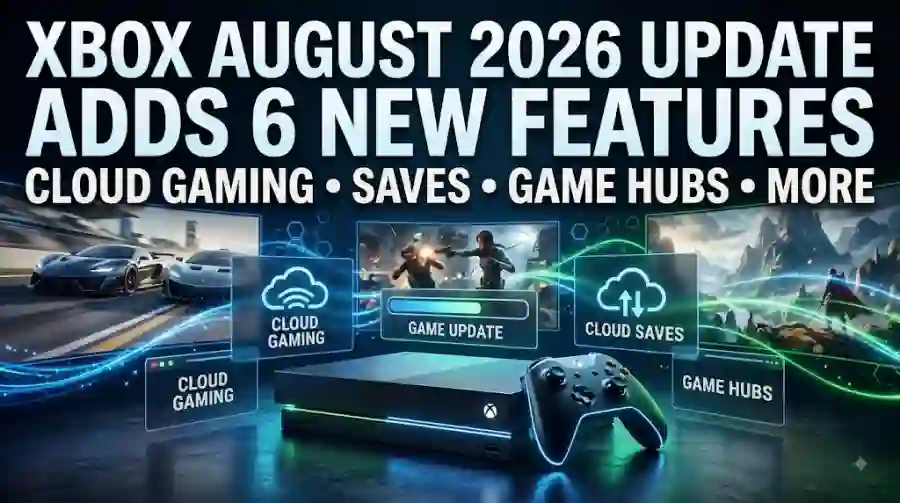
The update also introduces improved cloud-save recovery, additional Xbox 360 achievement information and improvements to game hubs and wishlists.
For Xbox owners, these changes may look small individually, but together they make the platform more convenient.
Xbox August 2026 Update Is Now Available
The August Xbox update began rolling out on August 12, 2026.
Players can manually check for the update through their Xbox system settings, although supported consoles will also receive it automatically as the rollout continues.
The update is available for compatible Xbox consoles and focuses on several quality-of-life improvements.
Six New Xbox Features in the August Update
Microsoft's latest update introduces improvements across several areas.
The biggest changes include:
- Game updates while using Cloud Gaming
- Better cloud-save recovery
- Improved Game Hubs
- More Xbox 360 achievement information
- Wishlist improvements
- Additional game-management improvements
These features are designed to reduce friction when players switch between games and services.
You Can Play While Your Game Updates
One of the most useful additions is related to game updates.
Previously, players could be forced to wait for a large update before launching a game installed on their console.
The new system gives supported Game Pass users another option.
If a game is also available through cloud streaming, players can launch the cloud version immediately while the console downloads the update in the background.
This means you don't necessarily have to sit through a lengthy update before playing.
How the New Cloud Update Feature Works
The process is fairly simple.
If an installed game requires an update and is available through Xbox Cloud Gaming, players can start the cloud version.
The console can then continue downloading the local game update.
Once the update finishes, players can return to the installed version.
This is particularly useful for large games that regularly receive substantial patches.
Cloud Save Recovery Gets Better
Another important addition is improved cloud-save recovery.
The update allows players to restore previously synchronized cloud saves in compatible games.
This can be useful if something goes wrong with a local save or if players need to recover an earlier synchronized version.
Microsoft is currently testing the feature with supported games, with Forza Horizon 6 specifically mentioned as an initial supported title.
More games are expected to support the functionality over time.
Xbox 360 Achievements Get More Attention
Microsoft is also improving the way older Xbox 360 achievements are displayed.
This is particularly interesting for players who still use Xbox backward compatibility or maintain large achievement collections.
Xbox has continued to preserve older games and achievement data, so improvements to how this information is presented can make the experience easier for longtime players.
Game Hubs Are Being Improved
The August update also brings changes to Game Hubs.
Game Hubs provide a central place for players to find information and activities related to individual games.
The latest improvements are intended to make these hubs more useful and easier to navigate.
Instead of searching through different sections of the Xbox interface, players can find more game-related information in one place.
Wishlist Improvements Make Game Tracking Easier
Microsoft has also updated Xbox wishlists.
Wishlists are useful for players who want to monitor games they may purchase later.
Improved wishlist functionality should make it easier to keep track of upcoming releases and games that players are interested in.
For gamers who frequently watch Xbox sales, this could be one of the more practical changes.
Xbox Is Putting More Focus on Cloud Gaming
The August update shows how important cloud gaming has become to Microsoft's Xbox strategy.
Cloud gaming is no longer simply an alternative way to play.
Microsoft is increasingly integrating cloud functionality directly into the Xbox console experience.
The new update is a good example of this approach because cloud streaming is being used to solve a traditional console problem: waiting for game updates.
Why the Cloud Update Feature Matters
Large modern games can have enormous updates.
A player might turn on their Xbox expecting to play for an hour, only to discover that a game needs a large patch.
Instead of waiting, the new feature gives players the option to stream the game immediately if it supports cloud gaming.
That could save a significant amount of time.
Forza Horizon 6 Is an Early Example
Forza Horizon 6 is currently one of the games specifically associated with the cloud-save recovery functionality.
The feature is expected to expand to additional compatible games.
This could become increasingly useful as more Xbox titles use cloud saves across consoles, PCs and cloud gaming.
The Update Is More Than Bug Fixes
Microsoft's August update isn't simply a maintenance patch.
It adds several player-facing features.
The emphasis is clearly on improving convenience rather than dramatically changing the Xbox interface.
That makes the update especially useful for people who regularly use Game Pass, cloud gaming or backward-compatible Xbox titles.
Xbox 360 Support Still Matters
Xbox has one of the largest libraries of older console games available through backward compatibility.
Many players still revisit Xbox 360 games, especially titles that are difficult to access on modern hardware.
Improved achievement information helps maintain that connection between older games and modern Xbox profiles.
What This Means for Game Pass Members
Game Pass subscribers stand to benefit significantly from the update.
The cloud gaming integration is particularly useful for Game Pass users because many Game Pass games are available for streaming.
Instead of waiting for an installed game to finish updating, players may be able to stream it immediately.
This makes the subscription more flexible.
What Xbox Players Should Do
If your console hasn't installed the August update yet, check the system settings for a new update.
After installing it, players should also check:
- Cloud gaming availability
- Game Hub changes
- Wishlist features
- Cloud-save options
- Xbox 360 achievement information
- Game update behavior
Some features may depend on the game or service being supported.
Will Every Game Support the New Features?
No.
Some of the new functionality depends on individual game support.
For example, the improved cloud-save recovery feature currently has limited compatibility, with Forza Horizon 6 specifically identified as an early supported title.
Microsoft is expected to expand support over time.
Why This Update Could Be Important for Xbox's Future
The August update reflects Microsoft's broader Xbox strategy.
The company increasingly treats Xbox as an ecosystem rather than simply a console.
Players can move between:
- Xbox consoles
- PC
- Game Pass
- Cloud Gaming
- Backward-compatible games
The new update strengthens those connections.
Xbox Is Making Game Updates Less Annoying
Waiting for patches has become one of the biggest frustrations of modern gaming.
Games can require updates that take considerable time to download and install.
The ability to switch to cloud streaming while an update runs could make that problem much less noticeable.
It doesn't eliminate updates, but it gives players another way to keep playing.
The August 2026 Xbox update is a useful quality-of-life upgrade rather than a massive redesign.
Microsoft has added six new features covering cloud gaming, game updates, cloud saves, Game Hubs, wishlists and Xbox 360 achievements.
The most interesting change is the ability for supported Game Pass users to start a game through cloud streaming while its local update downloads.
The improved cloud-save recovery system is another welcome addition, while the Xbox 360 achievement changes show that Microsoft continues to support its older game library.
For Xbox owners, this is one of those updates that may not completely transform the console, but it should make everyday gaming more convenient.
And for TheInfoBytes, this is a useful new content direction: Xbox system updates and gaming-platform news, rather than repeatedly publishing similar game guides.
Frequently Asked Questions
When was the Xbox August 2026 update released?
The latest Xbox system update began rolling out on August 12, 2026.
What are the main features of the Xbox August update?
The update includes improvements to cloud gaming, game updates, cloud saves, Game Hubs, wishlists and Xbox 360 achievements.
Can Xbox games now update while I play through the cloud?
Yes, supported Game Pass games can be played through cloud streaming while their local console versions download updates.